Mermaid vs. Structurizr vs. draw.io: One architecture diagram, three workflows
Published and reviewed 2026-11-10 · Primary source dated 2026-11-10
We built the same order system in Mermaid, Structurizr and draw.io. Compare the actual screenshots and download each editable example to try the workflow yourself.
Availability & maturity
All three examples were rendered in publicly accessible browser tools: Mermaid Live Editor, Structurizr Playground and draw.io.
The shared architecture
A Customer sits outside the Order system boundary. Inside it are the Web app, Order API and Orders database. The three arrows tell the same story in each version: the customer places an order, the web app submits it to the API, and the API stores it in the database. Shapes and layout differ; the elements, boundary and relationships are the same.
Which tool fits your workflow?
Choose Mermaid when the diagram should live alongside a README or code review and automatic layout is good enough. Choose Structurizr when the same architecture needs multiple consistent views, such as a system context view and a container view. Choose draw.io when the exact layout matters or teammates prefer editing shapes and connectors directly.
What this comparison covers
We rendered one small architecture in each tool. We did not test team collaboration, large diagrams, performance or round-trip conversion. The Mermaid and draw.io examples encode one drawing; the Structurizr file declares a model and one C4 container view of it.
Screenshots and editable examples
Download all examples (ZIP)Mermaid
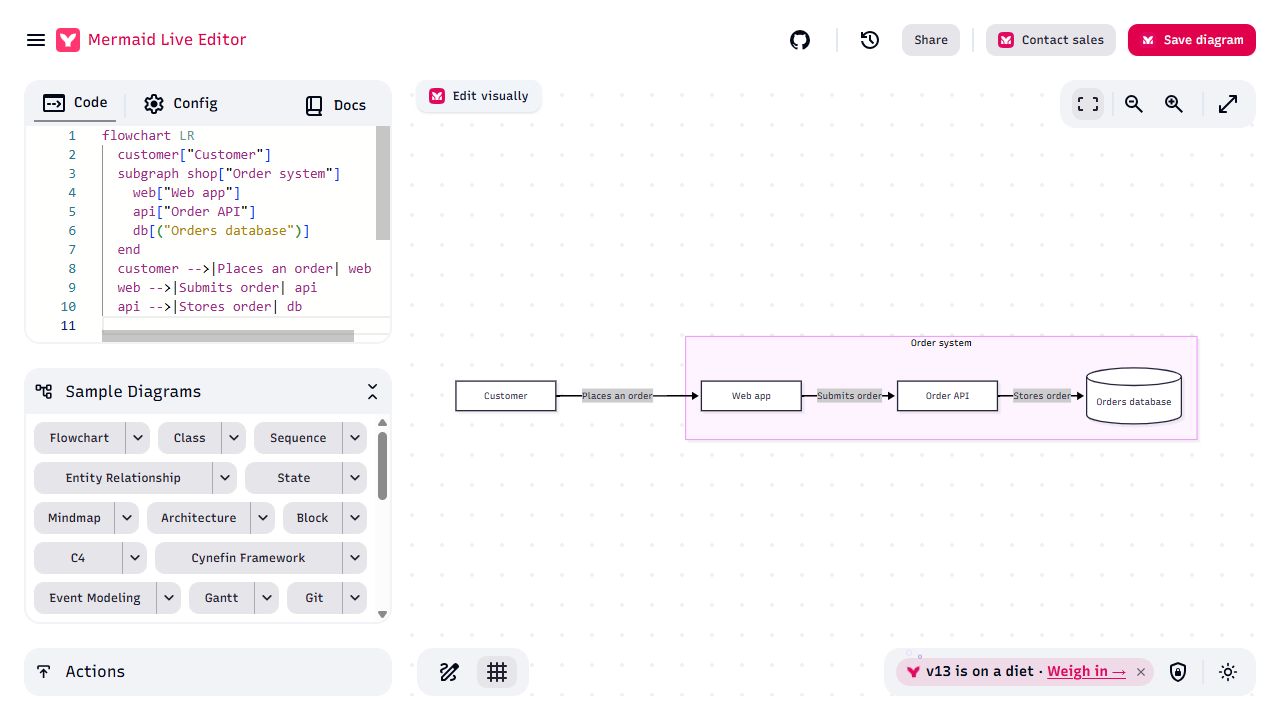
The short flowchart source defines the group and three labeled arrows. The editor computed the positions automatically; we used Reset view to fit the result on screen.
Paste the .mmd file into the Code panel in Mermaid Live Editor. For documentation, put the same source in a Mermaid code block wherever your renderer supports it.
Structurizr
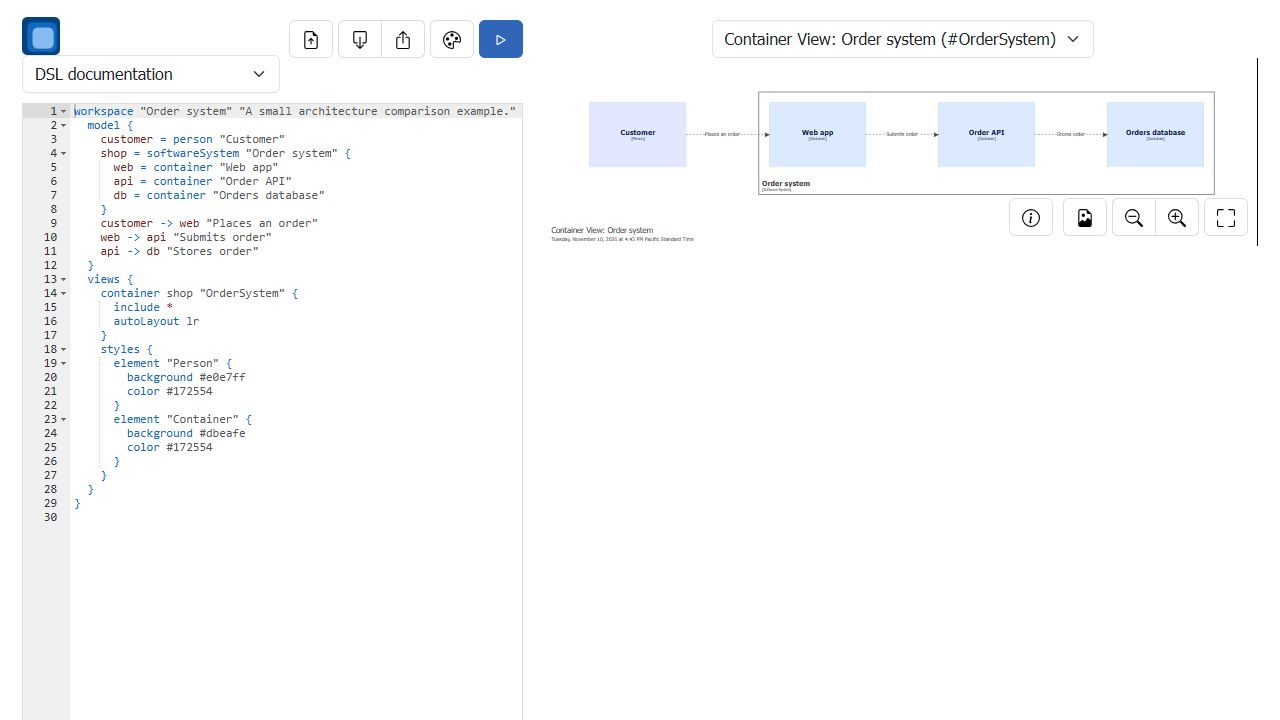
The DSL models the customer, software system, containers and relationships separately from the view. The container view added C4 type labels and laid out the elements left to right.
Replace the sample source in Structurizr Playground with the .dsl file and select Render.
draw.io
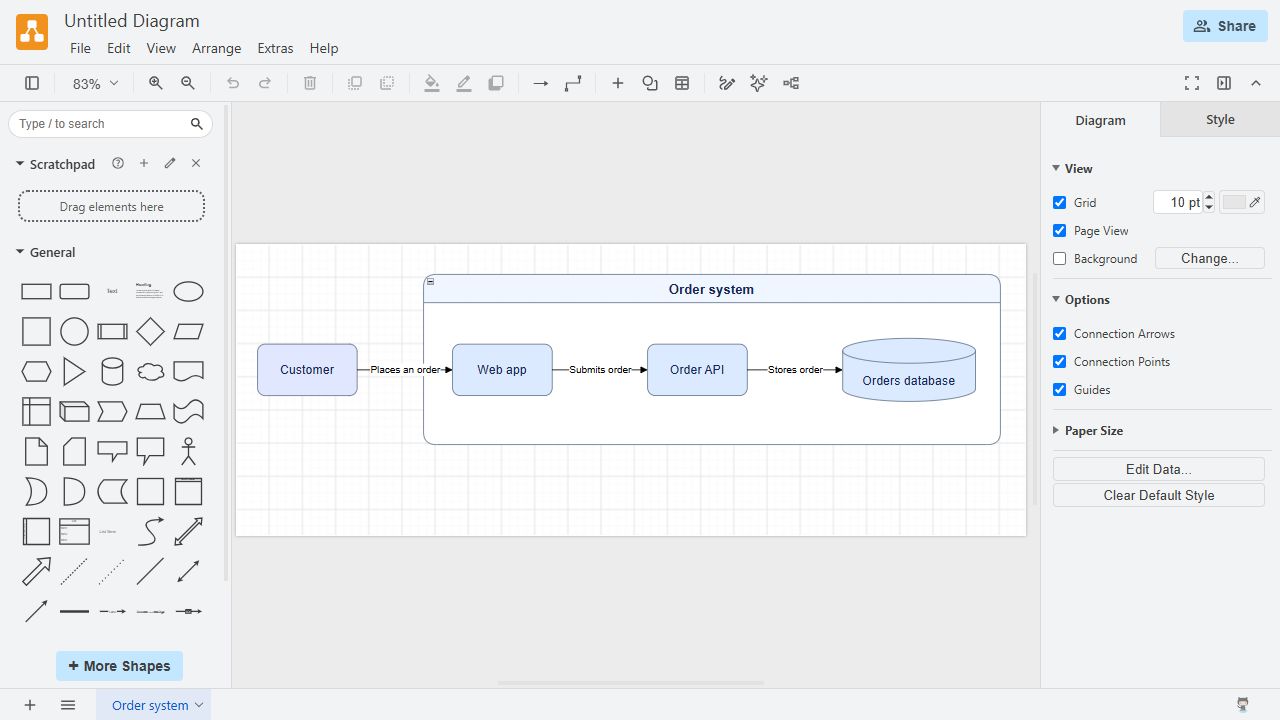
The editable file stores shape positions and connector styles. The system boundary, database cylinder and label spacing are explicit choices in the drawing.
Open the .drawio file in the browser editor or draw.io Desktop to move and edit individual shapes and connectors.
Primary evidence
Hands-on walkthrough of one diagram. No performance or collaboration benchmark was run.